Wood Sculpture Timelapse
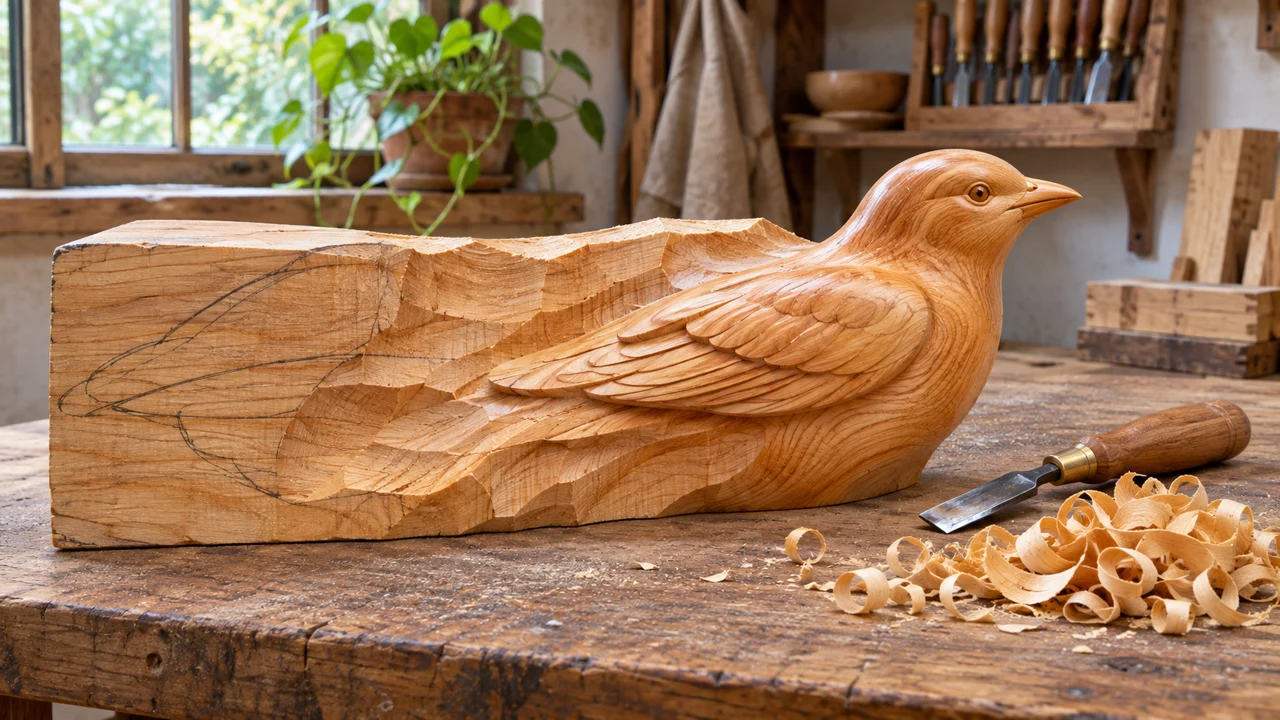
Plan four reference frames before animating. Match the wood grain and workbench marks across them.
Make this prompt yours.
Use the provided first frame of a fallen wood blank in [WORK AREA]. In a locked wide shot, compress the making of [SCULPTURE] into four visible stages: pencil outline, rough silhouette, stepped facets, and finished surface. Keep the sculpture inside the starting wood volume and pile shavings on the same side as the carving. Use discrete time-lapse cuts between stages. End with the maker stepping back so the whole object is visible. Use soft daylight and a short sound cue for each cut.
Edit the full prompt
2 placeholders still unfilled
How to use it
Keep the model version, aspect ratio, and reference consistent when comparing drafts. Change one camera or lighting cue at a time so you can see what it affects.
Add specific context
Fill in the topic, audience, format, and any reference material you have. If a detail is unknown, ask your AI tool to flag it instead of inventing it.
Generate a draft
Paste the customized prompt into your chosen tool. Check which controls it supports; descriptive wording transfers more reliably than model-specific flags.
Review and refine
Check facts, remove claims you cannot support, and compare the output with your intended video. Change one detail at a time to understand what improves the result.
Keep creating
 Miniature Rescue ASMR Story ↗
 Original Construction-Brick Build Timelapse ↗
 Veo 3 Selfie Vlog (Talking Head) ↗
 POV Night Forest Walk ↗