Original Construction-Brick Build Timelapse
Use matching end frames between clips. Check that built pieces stay attached and that the final reveal matches the approved design.
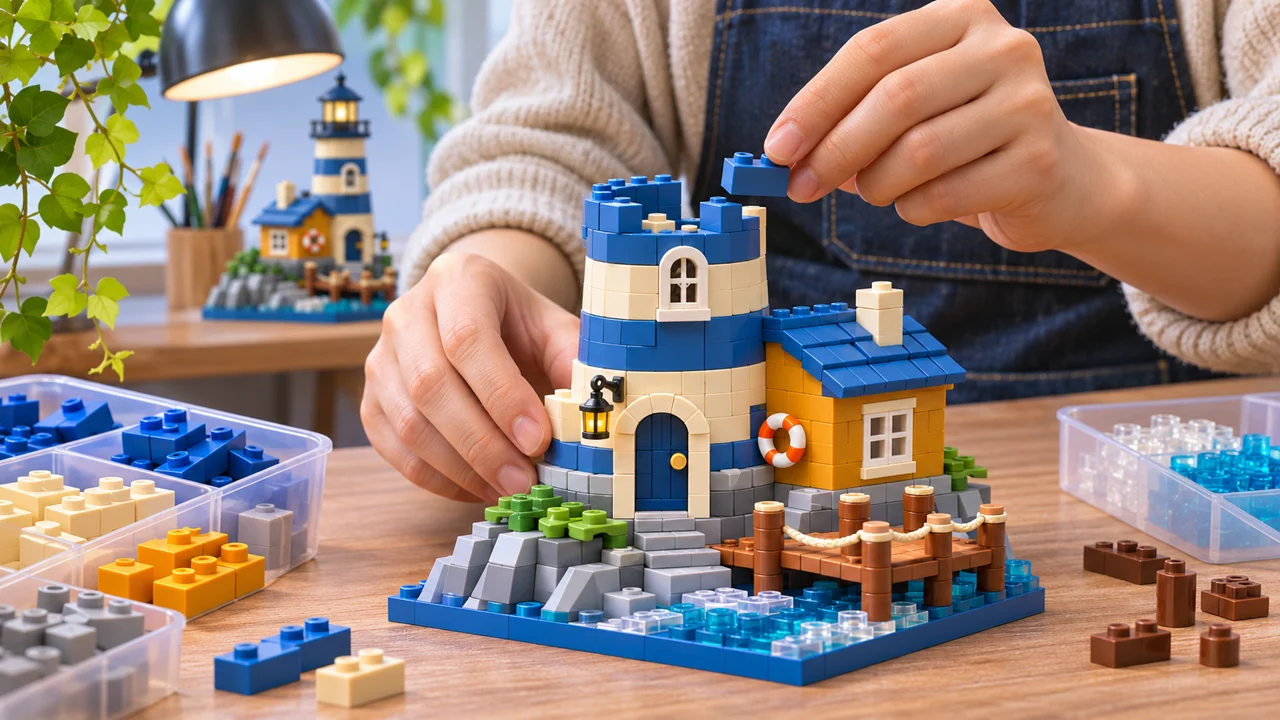
Make this prompt yours.
Design a 9:16 fixed-camera timelapse of an original miniature assembled from generic interlocking bricks.

ORIGINAL BUILD: [BUILD DESIGN]
REFERENCE SKETCH: [REFERENCE IMAGE]
BRICK PALETTE: [COLOR PALETTE]
DURATION: [RUNTIME]

Start with one brick and use plausible hand placements to build out a base, a recognizable silhouette, and the final details. Use one desk, one viewpoint, steady soft light, and a consistent scale. Plan successive milestones so every clip starts from the previous clip's ending state. Show the hand connecting each featured piece and keep the rest of the build physically stable between cuts.

End with the completed unbranded model in the same frame. Provide a timed milestone list, generation prompts, and a separate short narration that points out what changes at each stage.
Edit the full prompt
4 placeholders still unfilled
How to use it
Keep the model version, aspect ratio, and reference consistent when comparing drafts. Change one camera or lighting cue at a time so you can see what it affects.
Add specific context
Fill in the topic, audience, format, and any reference material you have. If a detail is unknown, ask your AI tool to flag it instead of inventing it.
Generate a draft
Paste the customized prompt into your chosen tool. Check which controls it supports; descriptive wording transfers more reliably than model-specific flags.
Review and refine
Check facts, remove claims you cannot support, and compare the output with your intended video. Change one detail at a time to understand what improves the result.
Keep creating
 Wood Sculpture Timelapse ↗
 Miniature Rescue ASMR Story ↗
 Veo 3 Selfie Vlog (Talking Head) ↗
 POV Night Forest Walk ↗