Video prompts
Scripted AI Podcast Clip with Clean Dialogue
Read the script aloud and split it between natural pauses before generating multiple takes.
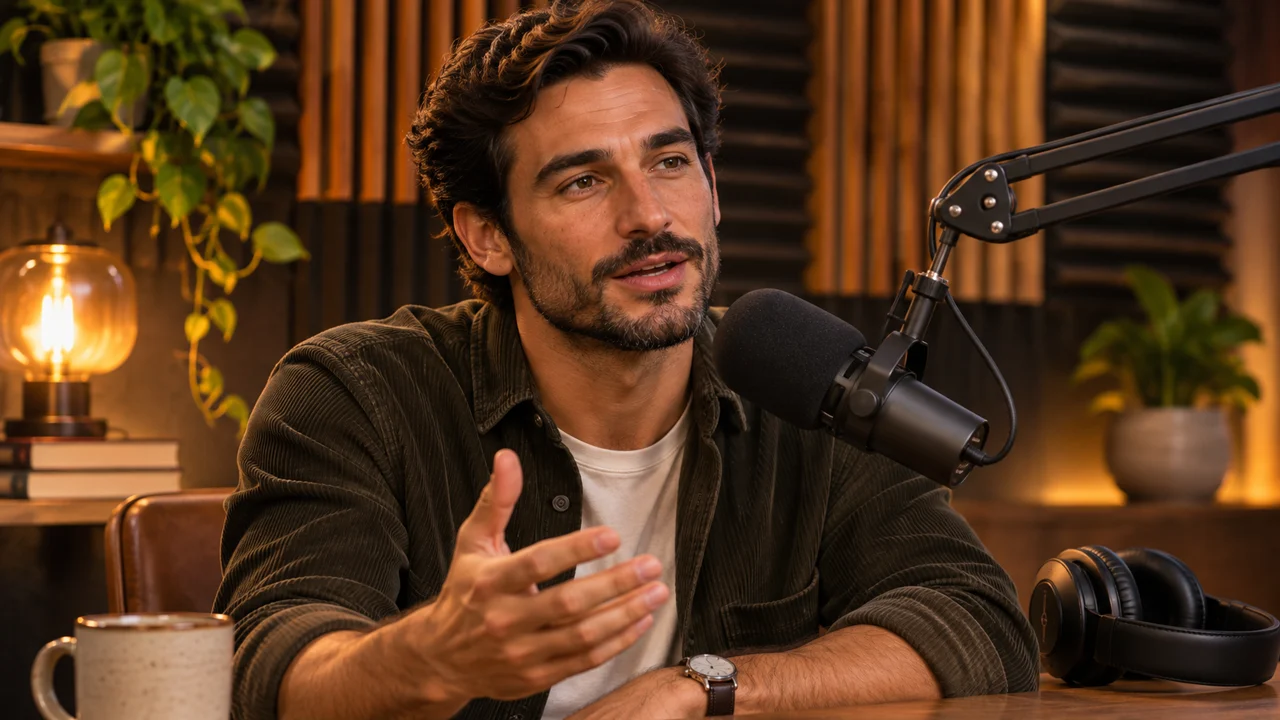
Make this prompt yours.
Create a vertical 9:16 scripted podcast clip with one fictional adult speaker.

SPEAKER: [CHARACTER DESCRIPTION]
SCRIPT: [SCRIPT]
LANGUAGE AND ACCENT: [LANGUAGE AND ACCENT]
STUDIO: [STUDIO DESCRIPTION]

Frame the speaker chest-up in warm studio light. Place a boom microphone near the mouth without obscuring it. Keep the gaze slightly off-camera toward an implied interviewer. Use natural blinking, small pauses, subtle gestures, and a steady camera. Keep the speaker, wardrobe, microphone position, and background fixed.

Have the speaker deliver the supplied script word for word. Keep the audio clean and dry with no added dialogue. If the line runs long, identify natural breakpoints and return one prompt per clip using the same set and reference. Save captions for editing and label the finished segment as scripted with a virtual presenter.
Edit the full prompt
4 placeholders still unfilled
How to use it
Keep the model version, aspect ratio, and reference consistent when comparing drafts. Change one camera or lighting cue at a time so you can see what it affects.
01
Add specific context
Fill in the topic, audience, format, and any reference material you have. If a detail is unknown, ask your AI tool to flag it instead of inventing it.
02
Generate a draft
Paste the customized prompt into your chosen tool. Check which controls it supports; descriptive wording transfers more reliably than model-specific flags.
03
Review and refine
Check facts, remove claims you cannot support, and compare the output with your intended video. Change one detail at a time to understand what improves the result.
Keep creating
Scripted Podcast Clips playbook ↗How to Write AI Video Prompts That Produce Usable Shots ↗Watch: Build a small project in Google Flow ↗ Veo 3 Selfie Vlog (Talking Head) ↗
 POV Night Forest Walk ↗
 ASMR Close-Up Trigger Loop ↗
 AI Cooking Anime Sequence ↗
Explore this collection Veo 3 Selfie Vlog (Talking Head) ↗POV Night Forest Walk ↗ASMR Close-Up Trigger Loop ↗AI Cooking Anime Sequence ↗