3D Fitness Anatomy and Form B-Roll
Try bench press, lat pulldown, dumbbell curl, squat, or pull-up. Check the muscle overlay and full repetition against a qualified form reference.
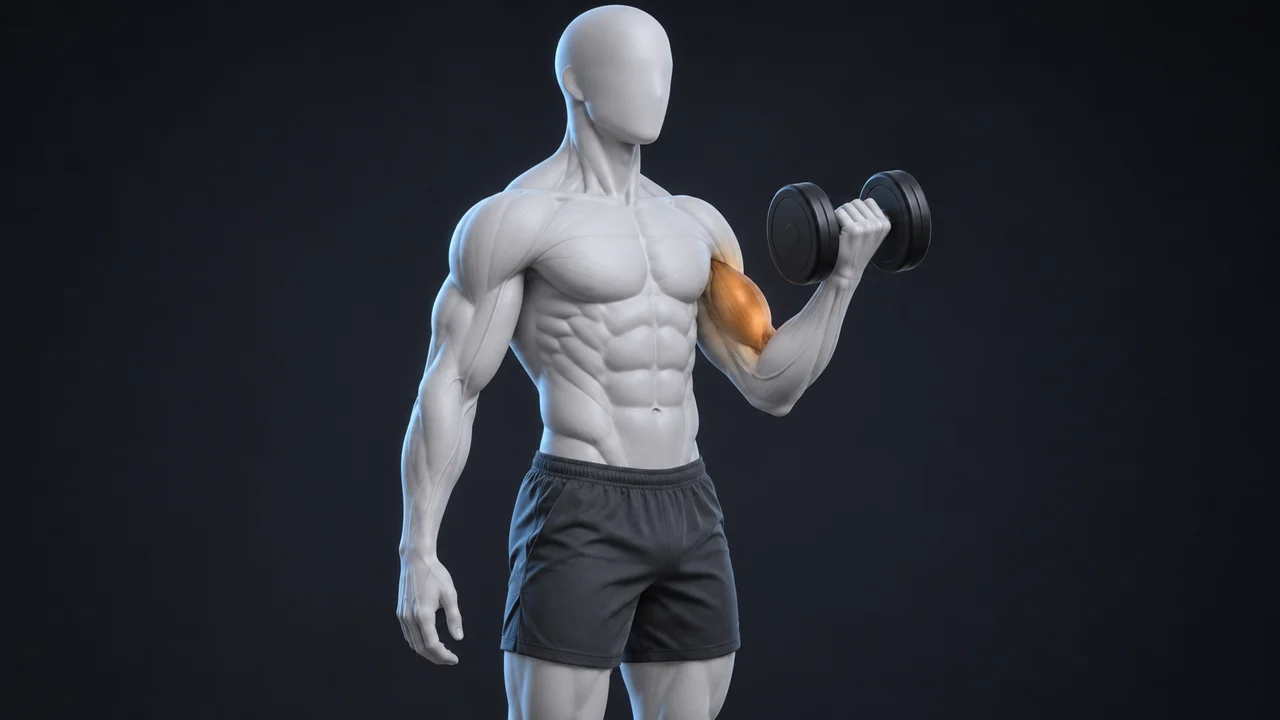
Make this prompt yours.
Visualize one controlled repetition as a 10–15 second vertical 9:16 fitness anatomy clip.

EXERCISE: [EXERCISE]
EQUIPMENT: [EQUIPMENT]
FORM REFERENCE: [REFERENCE NOTES]
MUSCLE OVERLAY: [MUSCLE GROUPS]

Use a faceless matte-white anatomical mannequin in charcoal gym shorts. Set one consistent lighting direction with a cool rim light and muted amber overlay. Start with an unobstructed three-quarter view. Show the setup, one complete repetition, and a steady return. Add one side view when it makes the equipment path easier to read.

Keep limb proportions, contact points, and equipment geometry stable. Highlight each confirmed muscle group only during the phase it helps explain. Keep the bar connected to both hands or the machine cable connected to its attachment, as applicable. End on a balanced frame with the equipment controlled. Return the shot timing, visual prompt, and a short checklist for reviewing anatomy and movement before publishing.
Edit the full prompt
4 placeholders still unfilled
How to use it
Keep the model version, aspect ratio, and reference consistent when comparing drafts. Change one camera or lighting cue at a time so you can see what it affects.
Add specific context
Fill in the topic, audience, format, and any reference material you have. If a detail is unknown, ask your AI tool to flag it instead of inventing it.
Generate a draft
Paste the customized prompt into your chosen tool. Check which controls it supports; descriptive wording transfers more reliably than model-specific flags.
Review and refine
Check facts, remove claims you cannot support, and compare the output with your intended video. Change one detail at a time to understand what improves the result.
Keep creating
 Veo 3 Selfie Vlog (Talking Head) ↗
 POV Night Forest Walk ↗
 ASMR Close-Up Trigger Loop ↗
 AI Cooking Anime Sequence ↗