3D CGI Educational Explainer With Off-Screen Narration
Choose one concept you can demonstrate in two contrasting shots. Generate each shot separately and record the narration before setting the cut points.
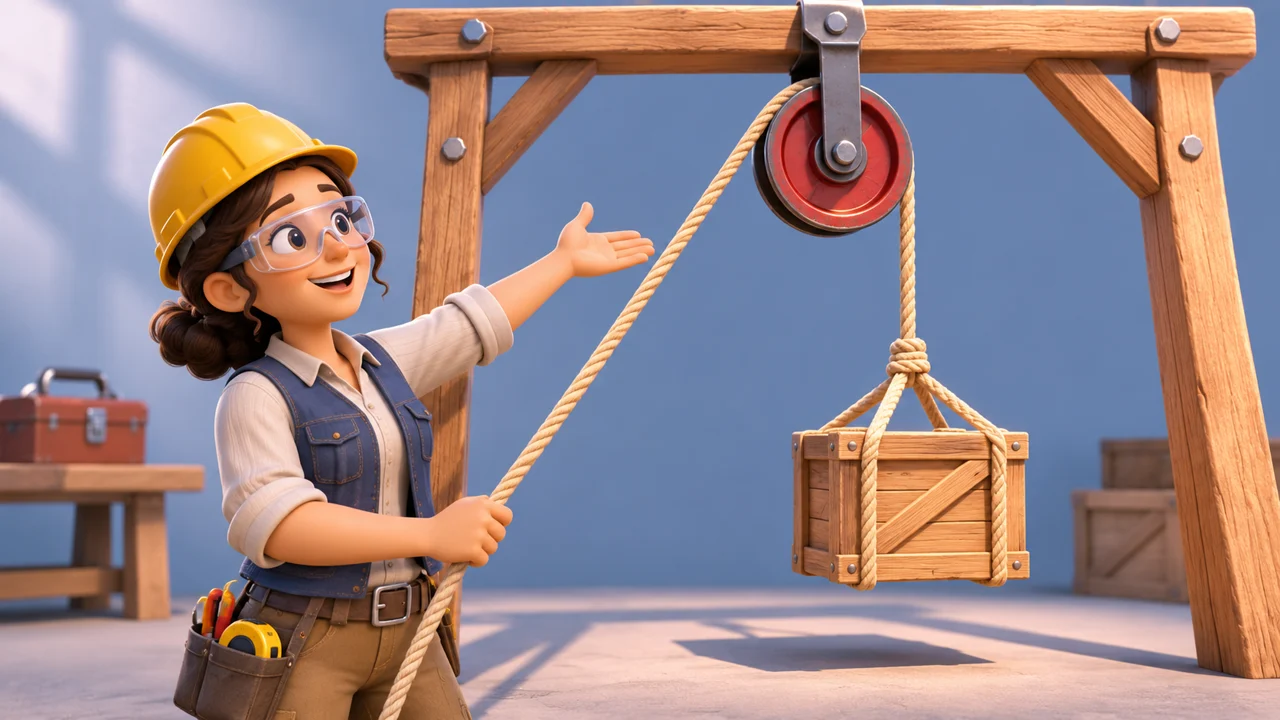
Make this prompt yours.
Create an original 9:16 CGI explainer about [TOPIC] for [AUDIENCE]. Work from [VERIFIED NOTES] and flag any claim that needs a source. Use stylized 3D characters with distinct silhouettes, clean sets, expressive gestures, and soft directional light. One off-screen narrator links the action. Keep the characters silent and use their hands, eye lines, and reactions to show what happened.

Build a four-shot sequence of about 25 seconds. Open on the surprising result, then show the ordinary setup in a medium shot. Compare two otherwise identical demonstrations from the same overhead angle so the one changing variable is easy to see. Finish on a close-up that connects the result to an everyday example. For each shot, deliver its duration, narrator line, camera position, and the object or movement that illustrates that line.

Example for condensation: open on a drop forming outside a cold glass, cut to matching cold and room-temperature glasses, hold on the same sections of both surfaces, then return to the cold glass as the narrator explains where the water came from. Make the labels and captions editable in post. Leave clear lower-frame space and let quiet practical sound sit under the narration.
Edit the full prompt
3 placeholders still unfilled
How to use it
Keep the model version, aspect ratio, and reference consistent when comparing drafts. Change one camera or lighting cue at a time so you can see what it affects.
Add specific context
Fill in the topic, audience, format, and any reference material you have. If a detail is unknown, ask your AI tool to flag it instead of inventing it.
Generate a draft
Paste the customized prompt into your chosen tool. Check which controls it supports; descriptive wording transfers more reliably than model-specific flags.
Review and refine
Check facts, remove claims you cannot support, and compare the output with your intended video. Change one detail at a time to understand what improves the result.
Keep creating
 Sports Play Explainer with Animated Diagrams ↗
 Animated Career Explainer for One Workday ↗
 Veo 3 Selfie Vlog (Talking Head) ↗
 POV Night Forest Walk ↗