Watermelon Rind Relief in Macro
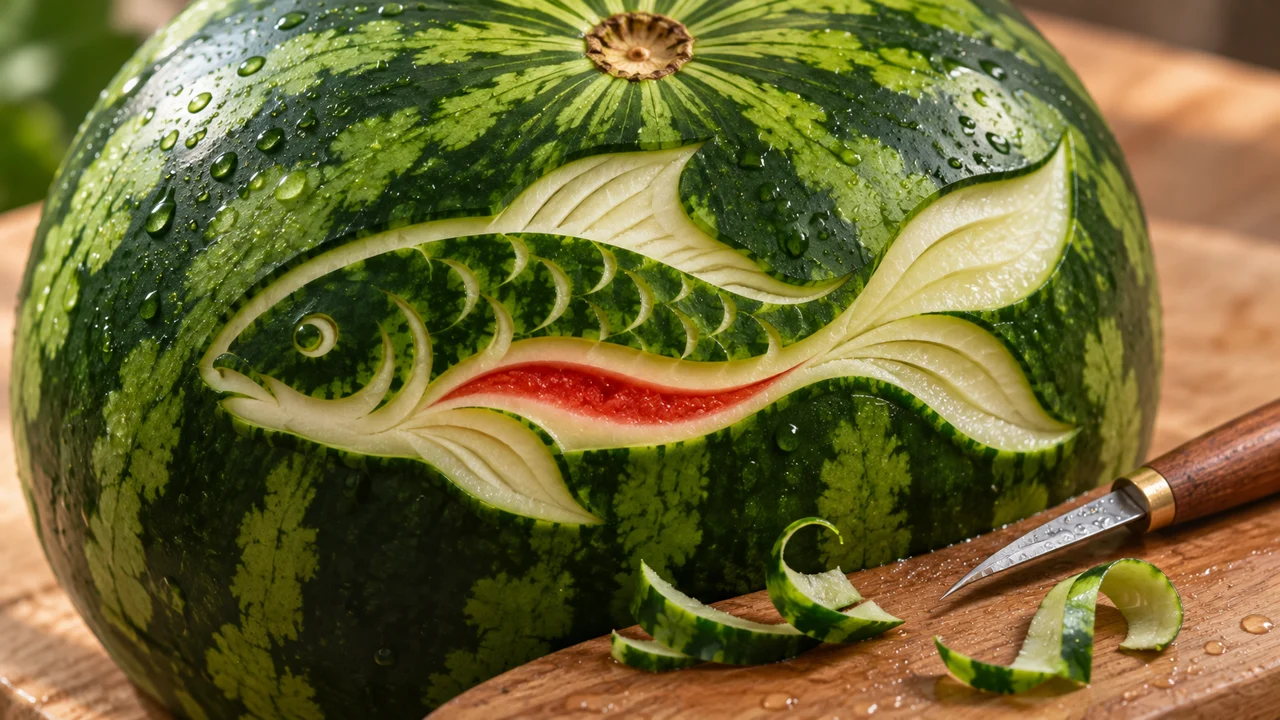
A simple moon or fish silhouette keeps the depth changes easy to judge. Design the final relief before generating the in-between shots.
Make this prompt yours.
Make a macro tabletop sequence showing a watermelon relief of [DESIGN]. Keep the stem scar at the top of frame and the fruit braced on the same board. Open on a marked outline. Show three successive textures in the same area: green rind, pale pith, then a small red accent from the flesh. Capture moisture and a few displaced rind curls. Hold on the finished relief in the original lighting so viewers can compare the change. Use a close crop on the fruit for tool shots.
Edit the full prompt
1 placeholder still unfilled
How to use it
Keep the model version, aspect ratio, and reference consistent when comparing drafts. Change one camera or lighting cue at a time so you can see what it affects.
Add specific context
Fill in the topic, audience, format, and any reference material you have. If a detail is unknown, ask your AI tool to flag it instead of inventing it.
Generate a draft
Paste the customized prompt into your chosen tool. Check which controls it supports; descriptive wording transfers more reliably than model-specific flags.
Review and refine
Check facts, remove claims you cannot support, and compare the output with your intended video. Change one detail at a time to understand what improves the result.
Keep creating
 Veo 3 Selfie Vlog (Talking Head) ↗
 POV Night Forest Walk ↗
 ASMR Close-Up Trigger Loop ↗
 AI Cooking Anime Sequence ↗