Rust Restoration Close-Up
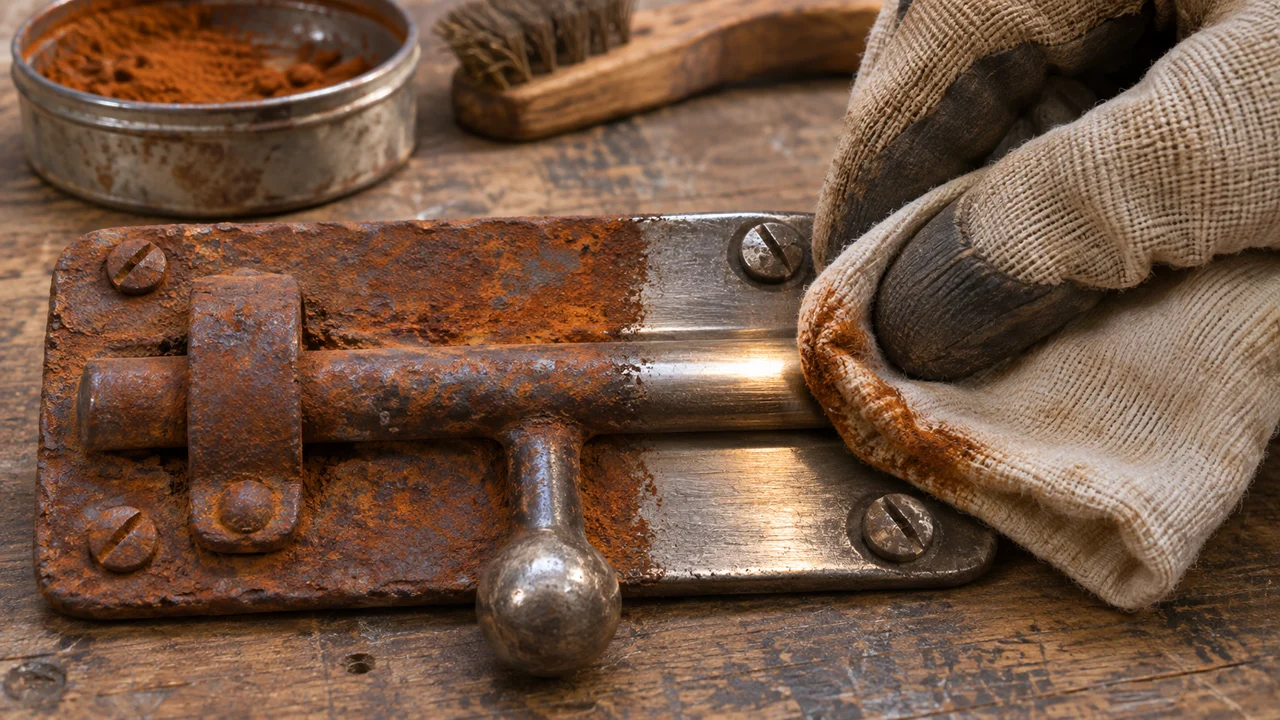
Use an old metal latch as a first test. Label a generated restoration as a simulation and keep the rough and finished frames registered.
Make this prompt yours.
Use my reference image of [OBJECT] as frame one. Make an eight-second close-up from one locked tripod position. The left edge starts with [SURFACE DAMAGE]. A gloved hand wipes one narrow strip with [TOOL]. Show where the residue goes as the cloth moves across the surface. Let the restored metal catch a single moving reflection. Hold the final frame for two seconds beside a small untouched patch. Keep the same dents, screws, and shape. Record cloth drag, a light metal tap, and room tone. Leave room for an editor-added label.
Edit the full prompt
3 placeholders still unfilled
How to use it
Keep the model version, aspect ratio, and reference consistent when comparing drafts. Change one camera or lighting cue at a time so you can see what it affects.
Add specific context
Fill in the topic, audience, format, and any reference material you have. If a detail is unknown, ask your AI tool to flag it instead of inventing it.
Generate a draft
Paste the customized prompt into your chosen tool. Check which controls it supports; descriptive wording transfers more reliably than model-specific flags.
Review and refine
Check facts, remove claims you cannot support, and compare the output with your intended video. Change one detail at a time to understand what improves the result.
Keep creating
 Rolling Object Staircase ASMR ↗
 Veo 3 Selfie Vlog (Talking Head) ↗
 POV Night Forest Walk ↗
 ASMR Close-Up Trigger Loop ↗