Five Gentle 3D Animation Prompts for Preschool Stories
Use one action per shot and keep the goal in frame. Rewatch without sound to check that the reveal still makes sense.
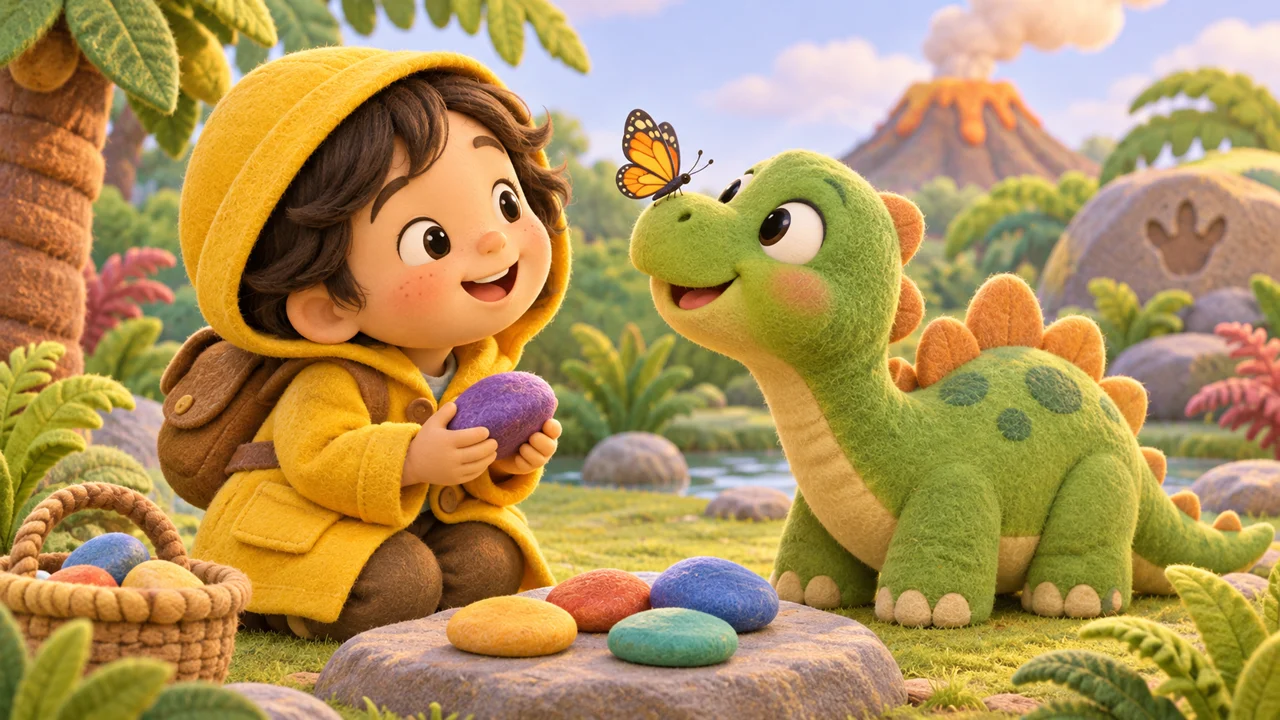
Make this prompt yours.
Create an original vertical 3D preschool story using [SCENARIO] and [CHARACTER REFERENCE]. Use rounded shapes, tactile textures, soft lighting, warm colors, readable facial reactions, and gentle camera movement. Plan three to five shots and a slow, reassuring ending. Keep the character’s outfit and favorite prop consistent. If using narration, write short, concrete lines that match the actions children can see.

1. Lost teddy bear. The child searches the pillow, finds a familiar ribbon by the basket, and discovers Teddy tucked under a folded blanket.
2. The duck’s rainy garden. A child in boots and a duck watch raindrops gather on a leaf, notice a worm at the edge of a puddle, and listen as a frog calls from a garden stone.
3. Clean-up adventure. The child matches blocks, books, and clothes to their places. Reveal a path across the floor as the child puts away the last item.
4. Friendly dinosaur. A curious child meets a little green dinosaur at a prehistoric play garden. A butterfly lands on the dinosaur’s nose while they sort colorful rocks.
5. Bedtime moon. A child turns off the bedside lamp and imagines a slow ride past soft clouds, tiny stars, and a friendly moon. Return to the same room and the same blanket for the last shot.

Return shot descriptions, soft sound cues, and a closing image. Keep the sounds gentle and the backgrounds calm. Leave captions, if needed, for the final edit.
Edit the full prompt
2 placeholders still unfilled
How to use it
Keep the model version, aspect ratio, and reference consistent when comparing drafts. Change one camera or lighting cue at a time so you can see what it affects.
Add specific context
Fill in the topic, audience, format, and any reference material you have. If a detail is unknown, ask your AI tool to flag it instead of inventing it.
Generate a draft
Paste the customized prompt into your chosen tool. Check which controls it supports; descriptive wording transfers more reliably than model-specific flags.
Review and refine
Check facts, remove claims you cannot support, and compare the output with your intended video. Change one detail at a time to understand what improves the result.
Keep creating
 Veo 3 Selfie Vlog (Talking Head) ↗
 POV Night Forest Walk ↗
 ASMR Close-Up Trigger Loop ↗
 AI Cooking Anime Sequence ↗