Track Permanent and Scene-Specific Wardrobe Changes
A wardrobe log stops a recurring character’s outfit from changing accidentally while still leaving room for weather, disguises and story-driven costume changes.
What you’ll take away
- Record each costume element as fixed, conditional or changed for a story reason.
- State what remains visible when a temporary layer covers a signature item.
- Update continuity notes when a change becomes part of later scenes.
Give every clothing detail a status
A wardrobe continuity log distinguishes the costume a character normally wears from clothing that belongs to one scene. Without that distinction, an image prompt may quietly change a scarf, badge or sleeve between shots, or may ignore a planned disguise because an earlier description still demands the usual outfit.
Make a short record with three labels: fixed, conditional and story change. “Fixed” means the item is part of the recognizable design. “Conditional” covers things like a raincoat in wet weather. “Story change” records a deliberate event such as replacing a torn glove. Keep the reason and the first scene where the change appears.
Example log for a fictional character
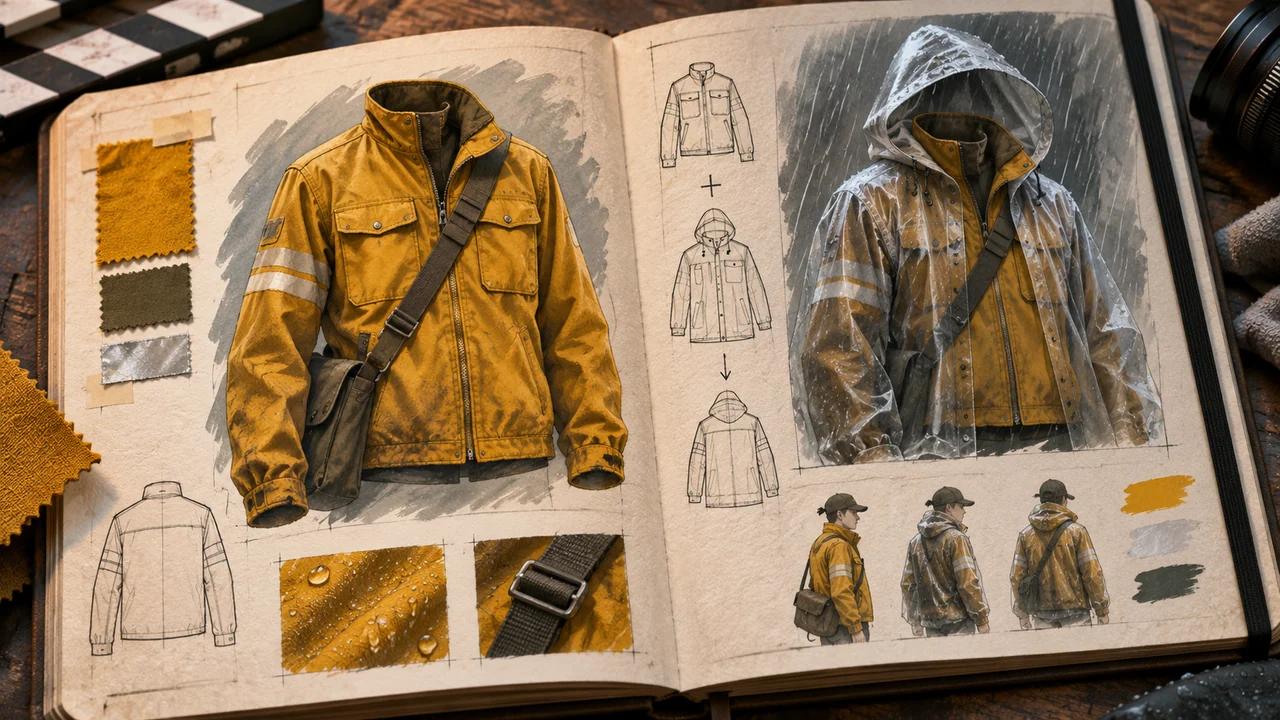
Suppose fictional courier Mina wears a mustard jacket, a white crescent patch on the left sleeve and a dark green satchel. Her log might read:
- Fixed: mustard jacket, crescent patch on left sleeve, dark green satchel crossing from right shoulder to left hip.
- Conditional: charcoal rain cape during rain; cape covers the jacket but leaves the satchel strap visible.
- Story change: jacket sleeve is torn in scene 8; keep the tear in later scenes until repaired on screen.
That last sentence matters. If the tear vanishes in scene 9 without explanation, it is a continuity error. If the story repairs it, note the repair and remove it from subsequent scene prompts.
Convert the log into prompt notes
Before writing a scene prompt, copy only the relevant rules. For the rainy scene, use the fixed costume description plus the conditional cape. For a dry interior, omit the cape. If the scene follows the sleeve tear, add the persistent tear. This keeps the prompt shorter and makes the status of each item explicit.
Keep the same wording for signature objects and their location. “Patch on left sleeve” is more useful than “a jacket with a patch.” Specify whether left means the character’s left, because a mirrored pose can make screen-left misleading.
Google’s Flow introduction presents a workflow for building connected scenes. Watch the section where scenes and references are handled, then use a wardrobe log beside your shot list to track visual details between them. Product controls may change, so treat the video as an overview.
Review changes at scene boundaries
When a costume changes, inspect the last image before the change and the first one after it. Confirm that the change is visible or explained, and that unrelated identifiers remain stable. Our character continuity guide covers the wider design record; the video prompt guide can help translate the log into shot instructions.
Sources & further reading
Put it into practice
- How to Keep AI Characters Consistent Across Images and Video
- How to Write AI Video Prompts That Produce Usable Shots