Reshoot or Repair a Missing Insert Shot
Decide whether to reshoot, restructure, or substitute when an edit is missing the insert shot a narration needs.
What you’ll take away
- Identify what the missing shot must prove
- Reshoot when a substitute would mislead
- Rework narration when the visual is unavailable
Find the job the missing shot was meant to do
A missing insert shot is not automatically a reason to stop editing. First identify the information the absent image should carry. Does it show a small detail, prove a step happened, or orient viewers to a location? Once you name the job, choose a repair that preserves the explanation.
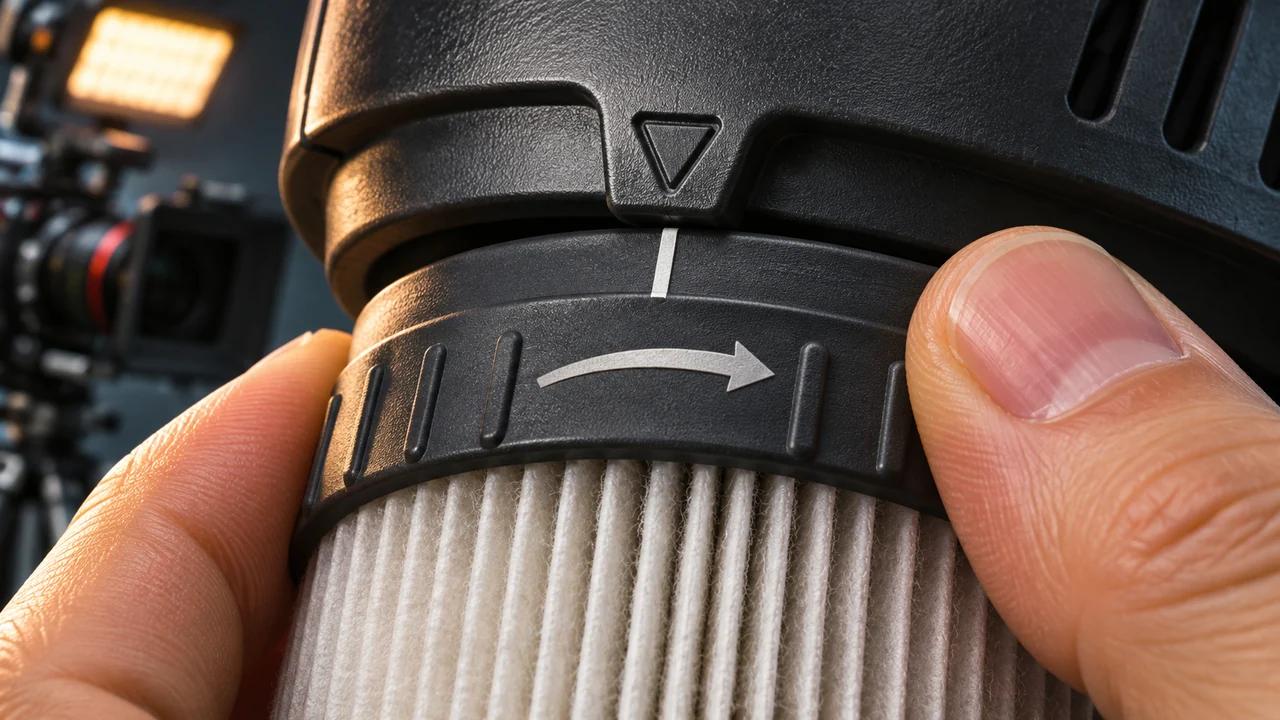
Imagine narration says, “Turn the filter until the mark meets the arrow,” but the edit has no close-up of the markings. A generic shot of a hand on the machine might suggest the action without showing whether the marks align. The viewer’s question remains unanswered.
Choose a repair path
- Reshoot the insert if the detail is central and accessible. Match object state, camera direction, light, and hand position to surrounding footage. Record a few seconds before and after the action.
- Use a wider shot if the action is clear at that size. Reframe the narration so it describes what viewers can see.
- Add a diagram or labeled still when a real close-up is unavailable. Identify it as a diagram or illustration if viewers might mistake it for original footage.
- Rewrite or remove the claim if no honest visual can support it. Don’t cover missing evidence with a similar but unrelated clip.
Keep continuity during a pickup
Before reshooting, compare the existing shot and planned insert. Note whether the object is open or closed, wet or dry, assembled or disassembled. Match screen direction: if the hand enters from the left in the original, avoid a reverse angle that makes the action appear to switch directions. Lock exposure and focus for small labels.
If exact continuity is impossible, use a clear transition that resets viewers: cut to a neutral wide, show a labeled diagram, or add a brief title. A purposeful reset looks cleaner than a near-match that draws attention to the mismatch. Keep the original narration playing over a still only if the still answers the spoken question.
Check the repair in sequence
Play the passage from several seconds before the insert through the next idea. Can viewers follow the action without guessing? Confirm that narration still describes what is on screen and that no text or label is cropped. If the image is illustrative, label it honestly. Listen once without looking to make sure the sentence still makes sense.
Prevent future gaps by adding a “proof shot” column to the faceless video shot list. Before wrapping a shoot, compare every narration claim with a captured visual that demonstrates it. The faceless content workflow can hold that pickup check alongside the rest of production.
When the reshoot happens later, note any changes to the room, wardrobe, or product condition. Small differences become much more obvious in a close frame than in a wide view. A clean neutral cutaway can bridge an unavoidable mismatch, but the next visual still has to support the narration.