Use Sound Distance and Occlusion in Immersive POV Video
Place sounds in a clear foreground, middle distance, or background. Use volume, muffling, and reverberation to help a first-person scene feel located.
What you’ll take away
- Place sounds in a clear foreground, middle distance, or background.
- Place key sounds before mixing narration or ambience.
Draw a map of the sound sources
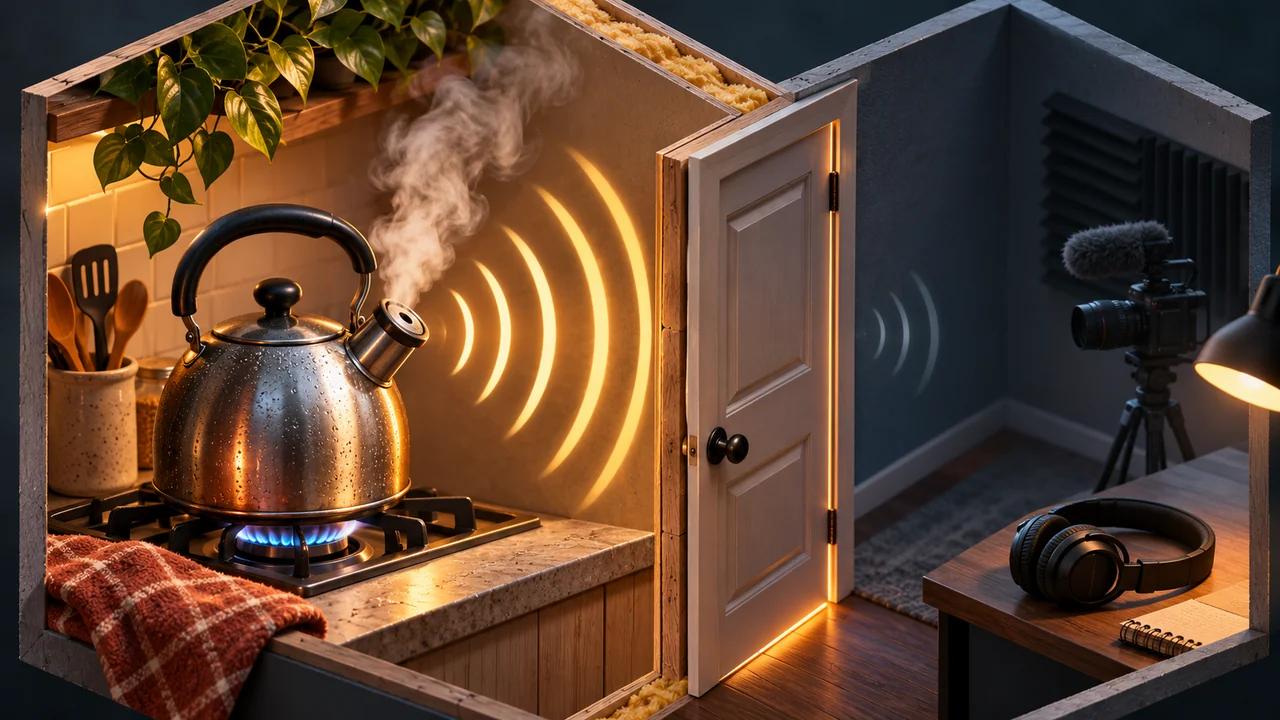
Make a sound map with source, distance, obstruction, and change over time. Leaves can rustle near the viewer, a stream sit at medium distance, and a bird call remain far away. When a door closes between the viewer and a kettle, describe its sound as quieter and muffled. Separate ambience, important events, and optional narration so speech does not erase the place. Draw an arrow for the listener’s route and mark the moment when each source comes into or falls out of earshot.
Mark what interrupts the sound
A sound map is useful even if the video generator does not produce audio. It tells an editor what should be added later and where it belongs. Mark a continuous base layer, such as rain outside, and separate story events like a distant knock. Specify whether the knock comes from behind a closed door, above the ceiling, or from the left side of the path. These cues guide panning and filtering without requiring technical jargon. Avoid overloading a prompt with many simultaneous sources, since the audience may not know which sound matters.
Test the intended perspective by listening to a rough mix at normal playback volume. If the kettle in another room competes with foreground footsteps, lower it or soften its high frequencies. As the viewer approaches the closed door, the kettle may grow louder while still sounding muffled. Let it become clearer as the door opens. Keep room tone present across the cut so the environment stays recognizable. Remove narration that merely repeats what the viewer hears.
Mix ambience and story events
Keep the sound map short enough to mix. Mark ambience as continuous, then add the events that carry story information. Let an important sound reach the foreground during a gap in the narration. Play the scene at normal volume and again quietly. If the transition disappears at lower volume, give the sound more time or reduce competition from an unrelated layer. Compare the edit through headphones and on a phone speaker so the perspective still makes sense when stereo placement is less obvious.
Sources & further reading
Put it into practice
- How to Write AI Video Prompts That Produce Usable Shots
- A Repeatable Faceless Content Workflow: Idea to Published Video