Build Immersive POV Video Scenes
Plan immersive POV videos around a goal, physical action, and visible payoff. Use this workflow and copyable prompt structure for a faceless scene.
What you’ll take away
- Plan immersive POV videos around a goal, physical action, and visible payoff.
- Block the first view, interaction, and result before generating footage.
Build the shot
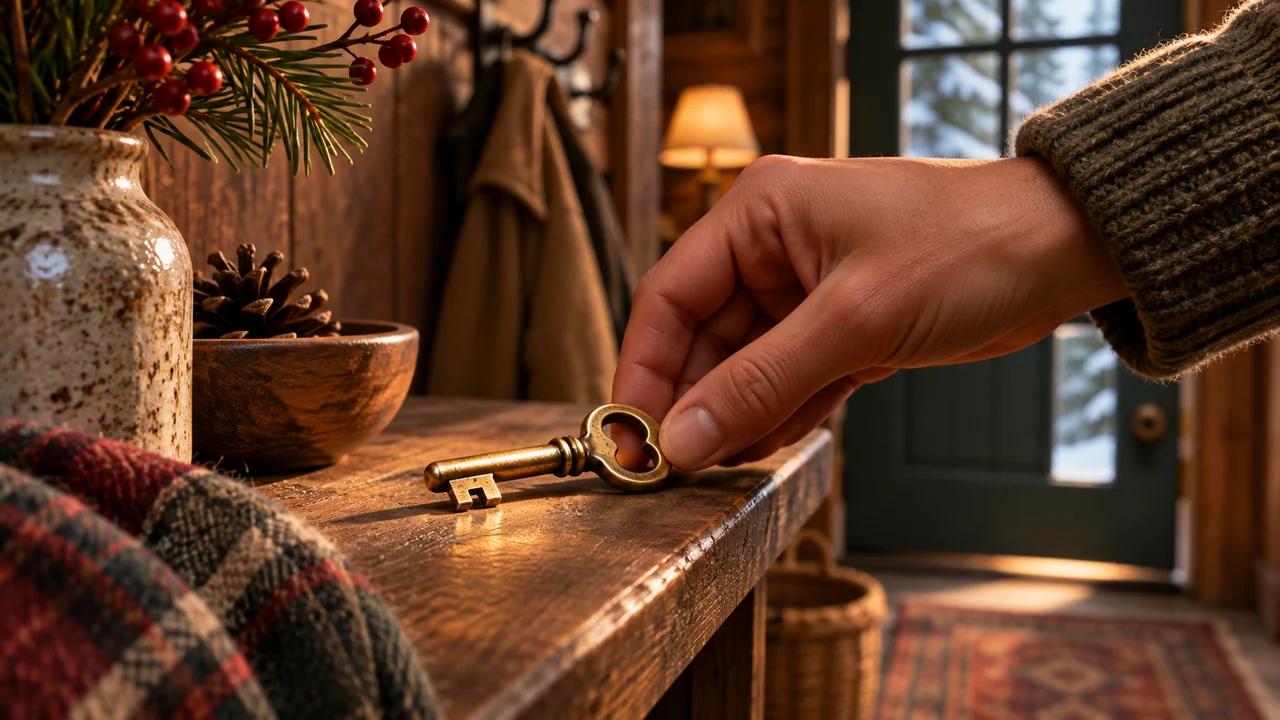
Start with one simple job: unlock a door, find a trail marker, repair a lamp, or carry a cup across a room. Write the objective, obstacle, and visible result before prompting. Divide it into orientation, interaction, and outcome so each clip has a readable action. For example, establish a cabin entryway, show a hand setting down a key, then end on the key at rest. Describe what enters frame and why the camera moves.
Copyable prompt
First-person POV, one continuous 8-second shot. The viewer walks slowly through a quiet cabin entryway and reaches with the right hand to place a brass key on the wooden shelf beside the door. Camera at natural standing eye height, gentle walking sway and one downward glance toward the hand. Warm lamp light. End with the hand leaving frame and key resting still. No visible face or sudden turn.
Sketch before the render
Before generating, sketch three boxes for the starting view, the key interaction, and the final state. Label only the parts the audience must notice. In the first box, a threshold may establish the cabin; in the second, the hand and key need room in frame; in the third, keep the shelf visible long enough to register the placement. This thumbnail plan catches crowded compositions before they become prompt problems. Name a camera height and one movement cue per box. If the prompt asks the viewer to turn, walk, inspect an object, and react in a few seconds, split the sequence. Each shot can then carry a single clear action.
For a series, keep one ritual or visual anchor while changing the task. The viewer might enter a different room each episode but always place a brass token on a shelf before leaving. Repetition makes the format recognizable; the new obstacle supplies variation. Record which elements are fixed and which may change, then use that note when adapting the prompt. This is a planning method, not a guarantee that generated details stay identical. Review the output for face leakage, stray camera moves, and an ending that actually shows the intended result.
Review the goal and payoff
A practical three-shot check works well: establish the setting, show the hand performing the task, then hold on the result. Keep each shot short enough to inspect. A fictional example prompt is only a starting point, so adjust its setting and objects to your story rather than implying a tested result. Preserve the key's color, shelf side, and hand choice if the action continues. If the generation adds an unexplained turn, remove that instruction and regenerate a simpler move. After the scene reads clearly, extend the sequence with another goal. See the night forest POV prompt for an alternate premise and Start here for the broader workflow.
Sources & further reading
Put it into practice
- A Repeatable Faceless Content Workflow: Idea to Published Video
- How to Write AI Video Prompts That Produce Usable Shots