Hand Off a Versioned Character Bible to Another Creator
A versioned character bible gives collaborators one current source for approved design, references, costume rules and documented changes.
What you’ll take away
- Name the current approved version and link to usable references.
- Record durable rules separately from scene notes and unresolved decisions.
- Give the next creator a small task that confirms the handoff is clear.
Package the information a collaborator needs
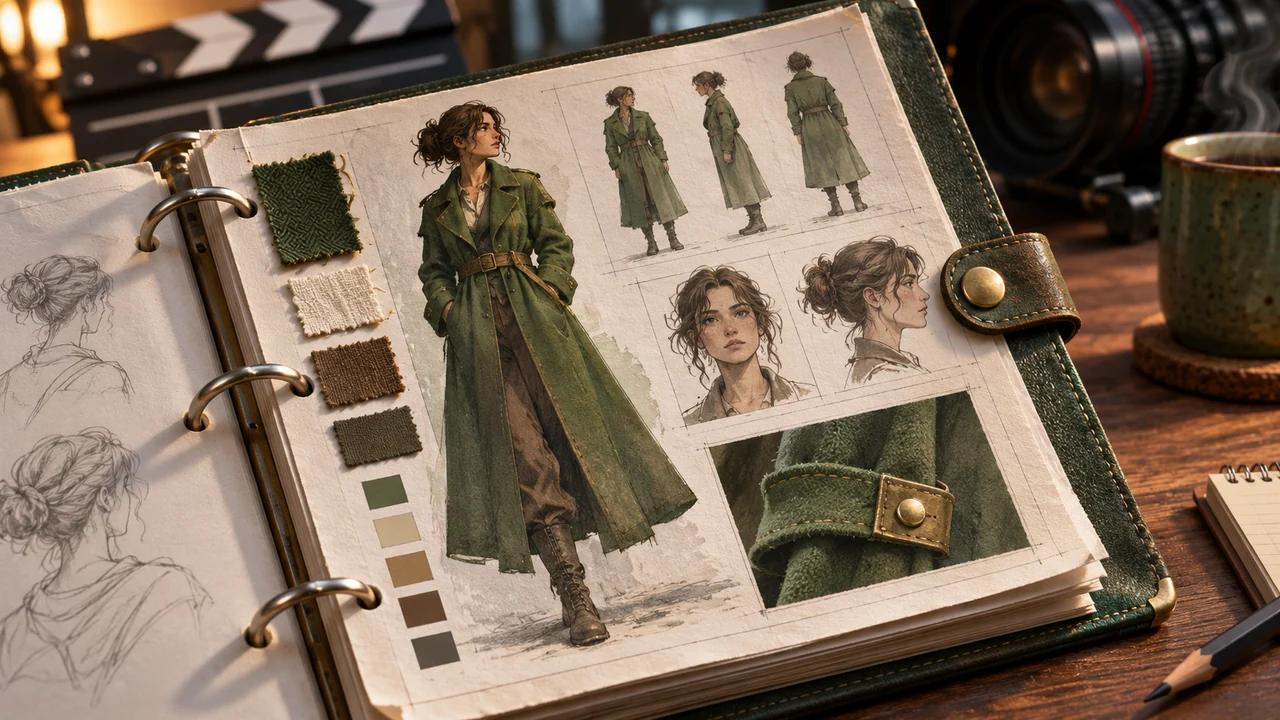
A character bible works as a handoff when another creator can tell which design is approved, where to find its references and what changes are allowed. Give the document a clear version name and date. Add a short change note so collaborators know whether the costume, colors or proportions were revised since the previous version.
For a fictional example, a studio hands off “Mara character bible v1.4.” Its first page says that v1.4 supersedes v1.3, adds a brass sleeve clasp and keeps the original green coat. The reference folder contains a front view, profile, three-quarter view, palette card and full-body scale image. Each filename identifies its angle and version.
Separate fixed rules from production notes
Keep stable identity features in one section: silhouette, face, markings, signature clothing, palette and scale. Put scene-specific changes elsewhere, with the scene number and whether the change carries forward. Include open questions such as “Is the new clasp permanent after episode 2?” rather than hiding an unresolved decision in a paragraph.
Add a short prompt block the collaborator can copy, but label it as a starting description. Explain that an image generator may vary details and that each output still needs review. If the project uses a platform’s reference feature, link to its current documentation and state which approved asset to load.
Runway Academy’s character reference lesson shows one reference workflow. Watch the relevant section and decide whether the receiving creator has access to the same controls; do not assume their interface or model version matches yours.
Make the handoff testable
Ask the new creator to produce one simple test frame before generating a full sequence. Choose a neutral pose and setting that exposes the face, costume and one signature mark. Compare it with the references, then record clarifications directly in the bible. This small check can reveal missing instructions, ambiguous left-right wording or an inaccessible asset link.
Provide filenames and folder paths that will remain stable. If the project stores approved art in a shared workspace, confirm the collaborator can open the files. Keep rejected concepts clearly marked so they cannot be mistaken for current guidance.
Make updates traceable
When a design decision changes, increment the version and list the difference. Preserve prior versions for context, but point the team to one active copy. The consistent AI character guide offers a broader system for references; the image prompt guide helps collaborators keep reusable instructions readable.
Sources & further reading
Put it into practice
- How to Keep AI Characters Consistent Across Images and Video
- How to Write AI Image Prompts for Faceless Content