A Copyable Identity Lock Prompt for Recurring AI Characters
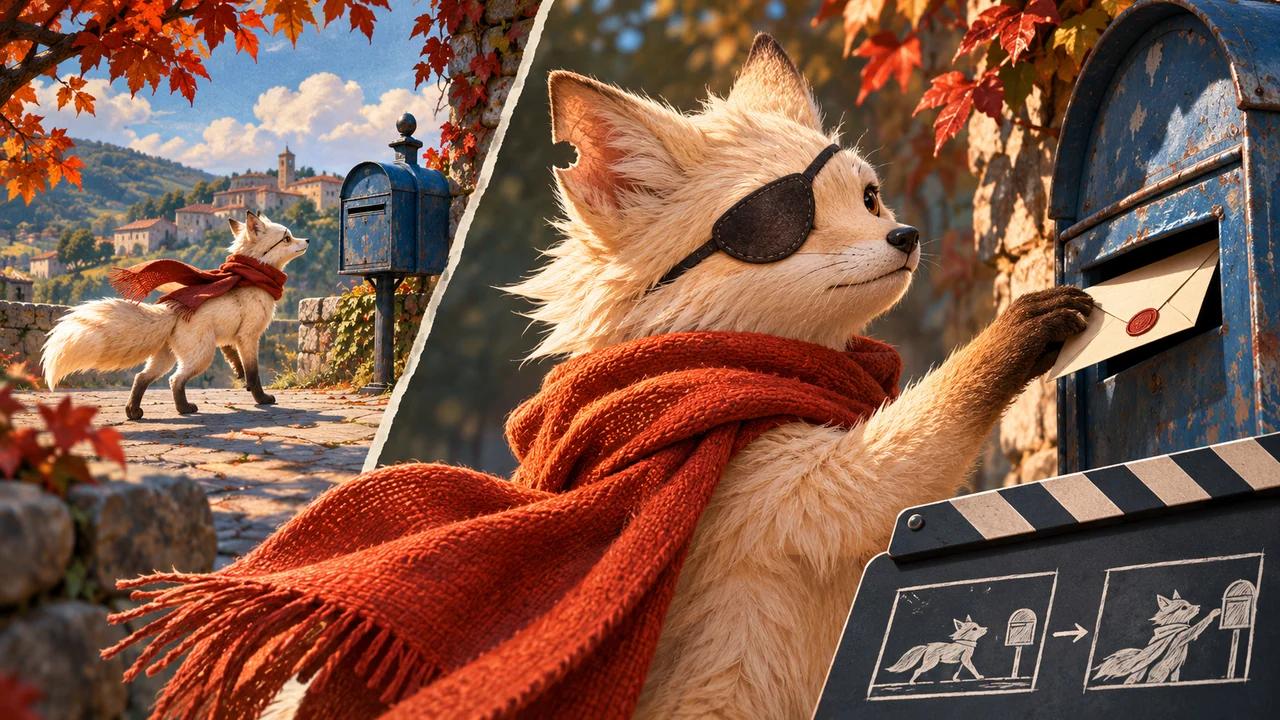
Use a compact identity lock to restate the character features that must survive each new image, while keeping expectations realistic.
What you’ll take away
- List observable features that define the character before adding scene direction.
- Repeat the lock consistently and use references when the image tool supports them.
- Treat identity locks as guidance, not a guarantee of identical outputs.
Copy the reusable part first
An identity lock is a short description of the features that should remain recognizable whenever a recurring character returns. Put it before the new action and setting so it is easy to reuse without rewriting the character from memory.
For a fictional example, try this base prompt:
Recurring character, design lock: Nori is a small cream-colored fox with a charcoal patch over the left eye, a notched right ear, a rust-red scarf tied at the front, and a round dark nose. Keep the same head shape, eye spacing, patch side, ear notch, scarf color and knot placement in every image. Do not add markings or change the costume. Scene for this image: Nori waits beside a blue mailbox in light rain. Three-quarter view, soft overcast light.
The final two sentences are the scene-specific portion. Keep that portion editable. If you change camera angle, location and outfit in the same pass, a mismatch becomes harder to diagnose.
Make the lock testable
Avoid vague instructions such as “same cute fox.” Write visible traits another person could check: which side holds the patch, how many buttons appear, where a pin sits, or whether the ears are rounded or pointed. Limit the list to details that matter at the size viewers will see them. A tiny stitch may disappear in a wide shot and is a poor identity anchor.
Keep permanent features separate from temporary state. Wet fur, a muddy paw or a worried expression belongs to a scene unless the story makes it lasting. For costume changes, say exactly what changes and what remains recognizable.
Know what text cannot promise
Image models can shift proportions or small details when the tool, model version, aspect ratio, or pose changes. Repeat the same description so your team can trace each shift to the scene direction, references, or generator settings.
When available, supply a reference image and use the tool’s documented reference controls. Runway’s character reference lesson demonstrates carrying a visual subject into new compositions. Review the output rather than assuming a reference solved every difference.
Keep a simple approval rule
For each new scene, compare the head silhouette, one signature mark, costume anchor and dominant colors. If one major feature shifts, regenerate or correct it before building later shots on top. Save the accepted image with the prompt version that produced it.
For the next scene, use our guide to consistent AI characters and image prompt writing guide to combine the approved description with a new action and frame.
Sources & further reading
Put it into practice
- How to Keep AI Characters Consistent Across Images and Video
- How to Write AI Image Prompts for Faceless Content