Stop Two Characters Swapping Illustrated Traits
Give each character separate, non-overlapping identifiers and check those identifiers whenever both appear in the same generated scene.
What you’ll take away
- Give each character a small set of distinct, visible identifiers.
- Use names and spatial positions instead of relying on “left” alone.
- Review shared frames for swapped colors, props, markings and costume pieces.
Give each character a different visual anchor
When two recurring figures share a frame, a model can transfer one character’s color, prop or marking to the other. Reduce the ambiguity before writing the action. Choose two or three clear identifiers for each character and make sure they do not overlap.
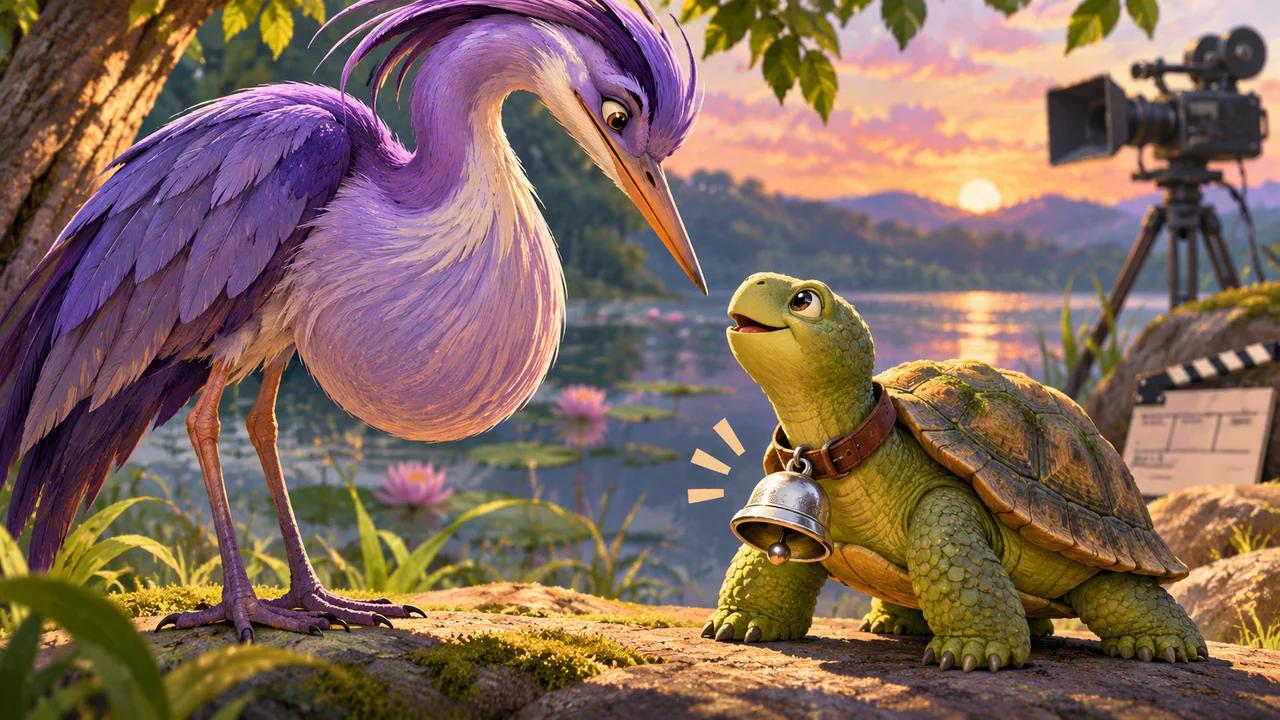
For a fictional example, Jo is a tall violet heron with a yellow beak and a round messenger pouch. Pip is a short green turtle with a red shell stripe and a tiny silver bell tied to the neck. Their silhouettes, main colors and accessories are distinct, so a reviewer can spot a swap quickly.
Keep the prompt organized by name
Describe one character fully, then the other. For instance: “Jo, the tall violet heron with yellow beak and round pouch, stands on screen-left facing right. Pip, the short green turtle with red shell stripe and silver neck bell, stands on screen-right facing left. They look at one another across a stone path.” Add the shared lighting and setting after both descriptions.
Use screen-left and screen-right to describe where figures appear in the image; use the character’s left or right to place a mark on its body. “Patch on Jo’s left wing” remains meaningful even if Jo turns. Avoid vague pronouns when the scene has several actions. Repeat the name if “he” or “she” could point to either figure.
Adobe’s prompt structure lesson covers ways to organize visual instructions. Watch how it separates subject details from the rest of a prompt, then adapt that structure to keep each character’s description together.
Check the shared frame systematically
Compare each figure against its own reference. Check silhouette, main color, signature mark, accessory and relative height. Do not only ask whether the scene looks attractive; a polished image can still give Pip Jo’s pouch or make the turtle as tall as the heron.
If one character’s trait moved, try a simpler frame with less overlap and clearer spacing. Then restore complicated action after the designs read correctly. A reference image may help if your chosen tool supports it, but verify the tool’s current documentation and inspect the generated frame yourself.
Record who owns each trait
Keep a compact cast list with one row per character and note any traits shared by the whole group. For this example, only Pip wears a bell and only Jo carries the pouch. The distinction helps prompts, reviews and collaborators use the same vocabulary. See the consistent character guide for a broader continuity workflow.
Sources & further reading
Put it into practice
- How to Keep AI Characters Consistent Across Images and Video
- How to Write AI Image Prompts for Faceless Content