Keep a Recurring Prop’s Design Stable Between Scenes
Treat a frequently seen object like a small character: record its silhouette, materials, markings and wear before placing it into new shots.
What you’ll take away
- Describe the prop by shape, material, scale and distinctive marks.
- Track damage or use as changes that persist until the story reverses them.
- Check the object in context because angle and lighting can disguise drift.
Write a prop specification before the scene prompt
A recurring object can drift just as easily as a character. A mug becomes a bottle, a compass loses its colored needle, or a small parcel changes shape when the camera moves. Make a compact prop specification so the object has a stable description that travels with the shot list.
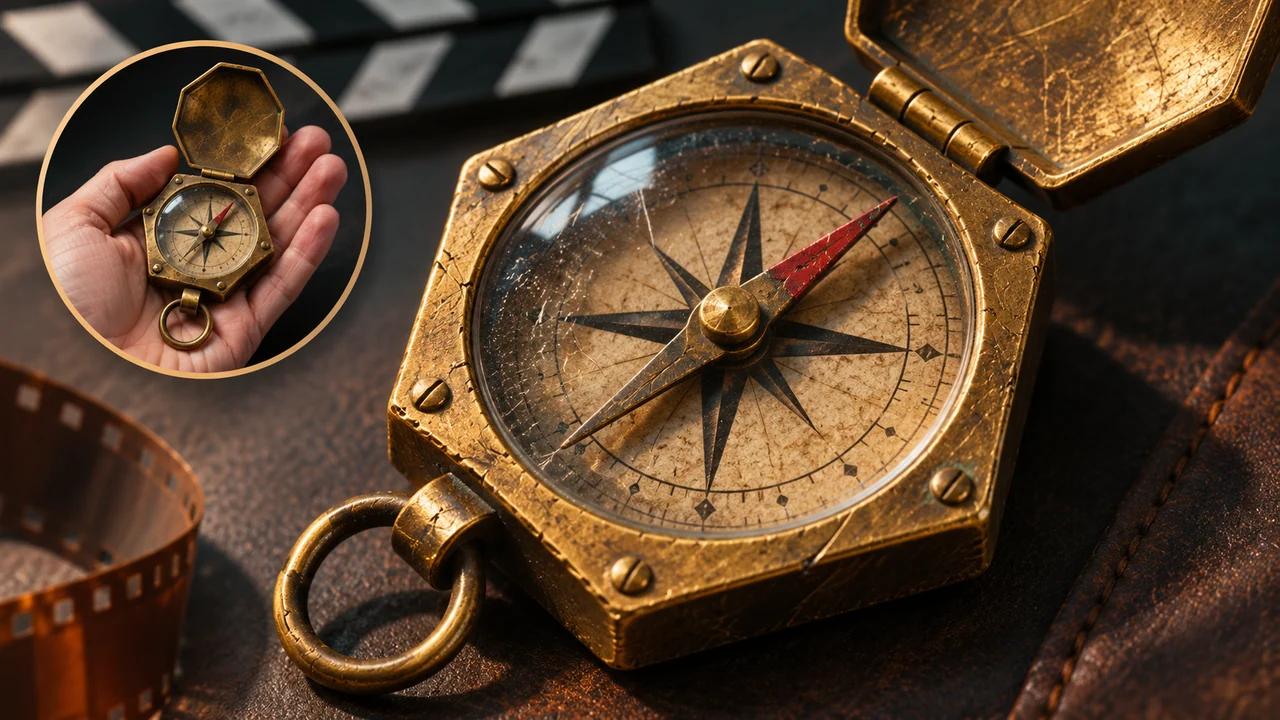
Record its outline, material, dominant colors, identifying marks, approximate size and current condition. For a fictional example, consider a brass pocket compass with a hexagonal case, a scratched glass cover, a single cobalt-blue needle and a short leather loop. State which side carries the loop and whether the scratches are permanent.
Separate design from state
The design is the compass’s hexagonal brass case, blue needle and leather loop. Its state might be dry, wet, dusty or cracked after a story event. If the glass breaks in one scene, note the damage and carry it into later scenes. Do not add the crack to the permanent description if earlier shots must show an intact compass.
Scale deserves a concrete anchor. “Small compass” is ambiguous. “Fits inside the fictional courier’s palm and is about half the width of her hand” gives the generator and the human reviewer a relationship to preserve. If no character appears in the frame, compare it with a consistent tabletop or another fixed object.
Use references and compare the right features
When a tool accepts image references, give it an approved prop image in a clear view. Runway Academy’s 3D asset reference lesson demonstrates using a prepared visual asset to guide a scene. Watch how the example holds composition; for a prop, check the silhouette and placement rather than assuming the reference will preserve tiny details automatically.
Review the result at the scale viewers will see. A dramatic angle may hide the leather loop, while a bright reflection may make the brass look silver. That is not necessarily a redesign. Rotate or brighten the comparison view before deciding. But if the case becomes round, the needle changes color or the loop swaps sides, correct it before using the image as a new reference.
Keep the prop in the continuity record
Save one approved close view, one scale example and a short note about state changes. Link those notes to the scene number so later shots do not accidentally begin from a damaged version. For a complete production record, pair this with the guide to consistent AI characters and its advice on reusable visual identifiers.
Sources & further reading
Put it into practice
- How to Keep AI Characters Consistent Across Images and Video
- How to Write AI Image Prompts for Faceless Content