Pace a Montage Around a Visual Motif
Make a montage feel like a progression by repeating one visual motif while changing its meaning or scale.
What you’ll take away
- Choose one recurring visual
- Change its context with each return
- Give the montage a clear end point
Let one image thread guide the montage
A montage can show many moments without feeling like a list. A recurring visual motif gives the viewer a thread to follow. It might be a calendar page, a doorway, a hand placing objects in a row, or a specific color that appears at key points. The motif does not need to appear in every shot. Its returns should mark a change in the story.
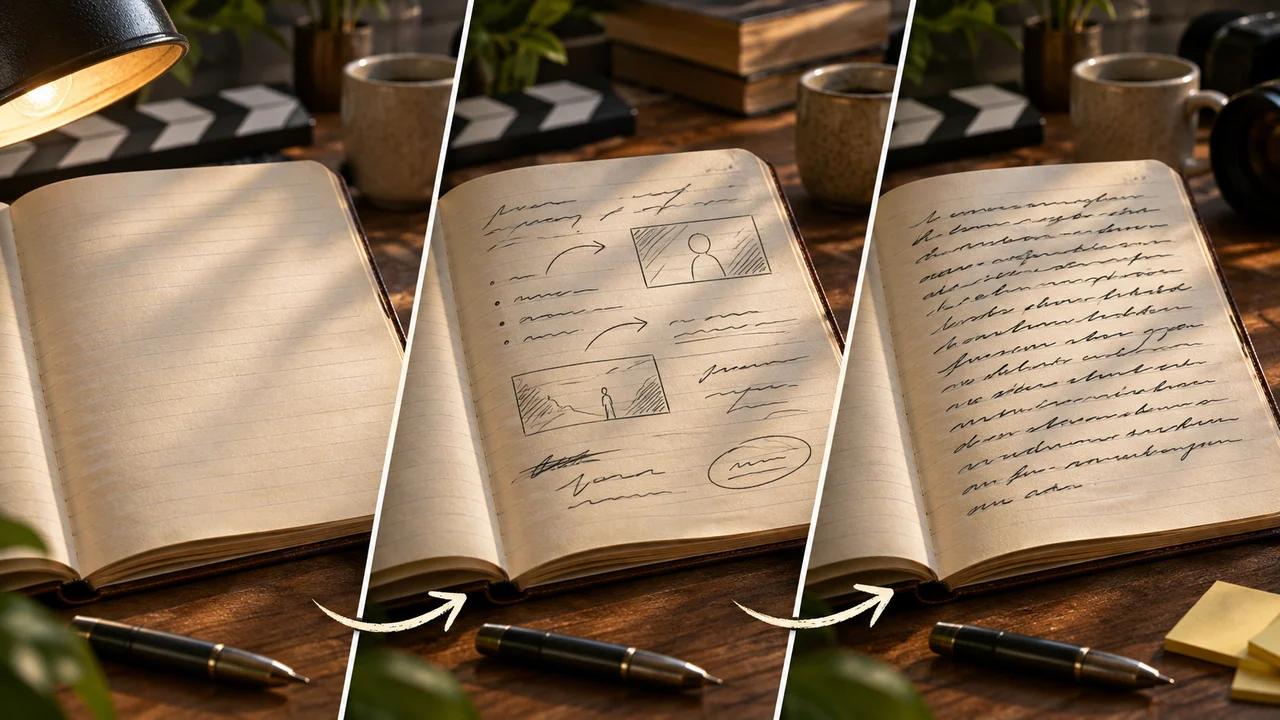
Choose a motif the production can capture consistently. If the story is about building a daily writing habit, a notebook opening can recur at the beginning, midpoint, and end. Each return should show a new state: blank page, rough notes, then a finished paragraph.
Map the montage’s progression
Write the montage’s beginning and end in one sentence. Then decide what changes between them. For the writing habit example:
- Start: The notebook is closed beside an untouched pen.
- First return: The notebook opens, but only one line appears.
- Middle: Several dated pages show a growing routine.
- End: The notebook opens to a revised, finished paragraph.
Other images can vary the pace: a clock, a desk lamp switching on, a page turning, a close-up of edits. The notebook remains the anchor, while the surrounding shots add texture and show progress.
Use shot length to support the change
Shorten shots when the montage builds urgency, then allow a longer hold when the viewer needs to read or appreciate a result. Do not cut every beat to the same duration just to create energy. A quiet, repeated action can create rhythm without rapid edits. If the narration has an important phrase, let the image settle rather than stacking visual changes over it.
Keep a simple edit map beside the timeline: motif return, new information, shot duration, music or narration cue. This makes it easier to spot a passage that repeats the same idea without development.
For example, a repair montage might return to the same workbench after each stage. The first return shows scattered parts, the next shows an assembled frame, and the final return shows the working object. Each repeated composition gives viewers a visual reference for progress. Choose a motif that naturally belongs in the scene so the repeated image feels earned.
Check the motif in context
Watch the montage once without narration. Can you infer a progression from the images? Then listen with the screen off. Does the narration explain what the sequence means? If a motif return adds no new state or perspective, remove it or change what the viewer sees.
Use sound to reinforce selected returns, such as the same page turn at a few chapter points. Avoid making every recurrence identical if the story is meant to advance. For a larger production checklist, see the faceless content workflow. For more editing ideas, see the visual storytelling guide.
Sources & further reading
Put it into practice
- How to Avoid Generic, Mass-Produced AI Videos
- A Repeatable Faceless Content Workflow: Idea to Published Video